Video to MP3 Converter – Extract Audio from Videos Easily
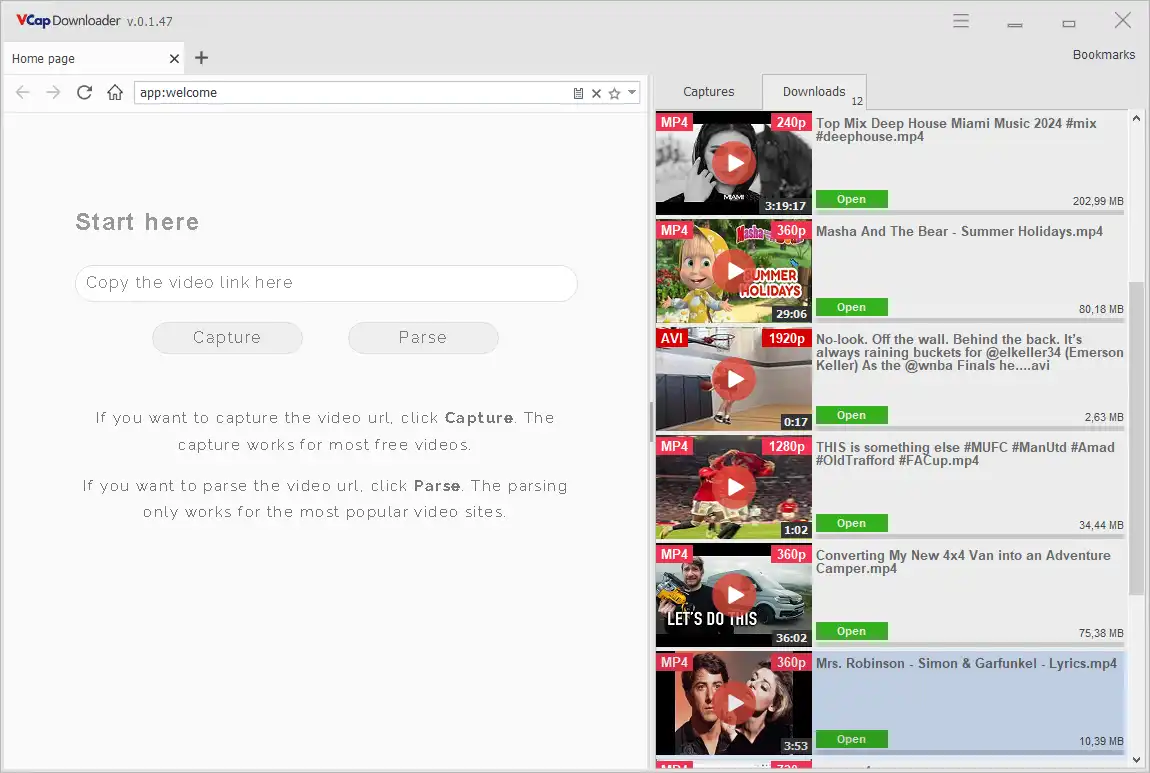
A video to MP3 converter allows you to extract audio from video files and save it in a lightweight, portable format. With VCap Downloader, you can download videos and instantly convert them to MP3 without using additional software. This makes it easy to save music, lectures, podcasts, and other audio content for offline listening.
What is a Video to MP3 Converter?
A video to MP3 converter is a tool that extracts the audio track from a video file and saves it as an MP3 file. Unlike traditional converters, modern solutions combine video downloading and audio extraction in one workflow.
This means you can:
- Download a video
- Extract audio automatically
- Save it as MP3 in seconds
Why Convert Video to MP3?
Converting video to MP3 is useful when you want to:
- Save music or audio content without storing large video files
- Listen offline on any device
- Extract lectures or podcasts from video recordings
- Reduce file size while keeping only the audio
Key Features to Look For
When choosing a video to MP3 converter, look for:
- High-quality MP3 extraction
- Fast conversion process
- Batch conversion support
- Integration with video downloader
- No need for additional software
VCap Downloader combines video downloading, audio extraction, and file management in one simple interface.
How It Works
Using a modern tool like VCapDL, the process is simple:
- Download a video file
- Select audio extraction (MP3)
- Save the file to your device
No complex settings or third-party tools required.
More Than Just MP3 Conversion
In addition to converting video to MP3, VCap Downloader also allows you to:
- Download subtitles when available
- Extract audio tracks separately
- Trim video files
- Combine video and audio streams
- Resize video for different devices
This makes it a complete video and audio toolkit, not just a converter.
FAQ
Q: Can I convert video to MP3 directly after downloading?
A: Yes, VCap Downloader allows you to extract audio immediately after downloading a video.
Q: Is MP3 the best format for audio?
A: MP3 is widely supported and offers a good balance between quality and file size.
Q: Do I need separate software to convert video to MP3?
A: No, modern tools like VCapDL include built-in conversion features.
With VCap Downloader, you can download videos, extract audio, and manage your media files in one place.
Looking for more features? Explore our Video Downloader or learn more about Download Managers
How to convert video file to MP3 (Step-by-Step)
Follow these simple steps to convert video to MP3 using VCap Downloader:
Method #1 (Capture video)
- 1. Install VCap Downloader on your Windows PC.
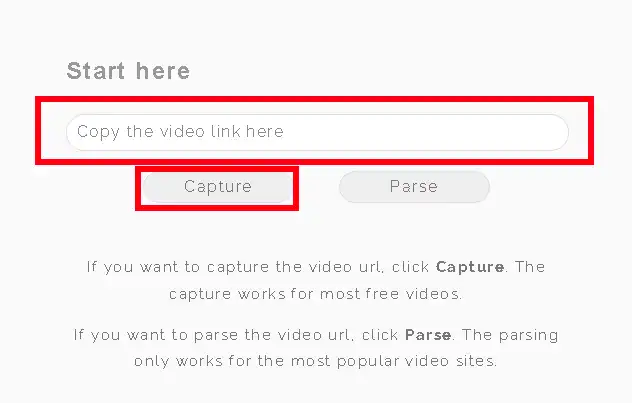
- 2. Enter the video URL in the prompt and click the Capture button.
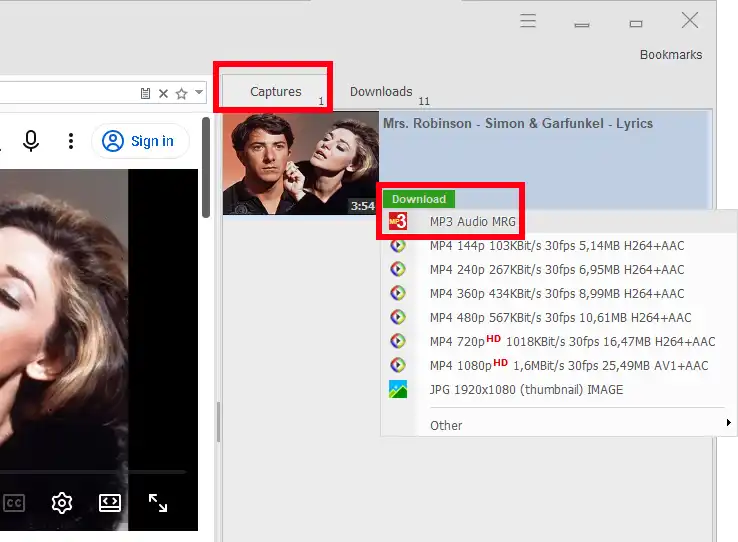
- 3. Press "Download" button on the right "Capture" panel
- 4. Choose MP3
- 5. Start downloading with full speed and reliability.
Method #2 (Download the full video file and then extract MP3 audio from it)
- 1. Download the full video file.
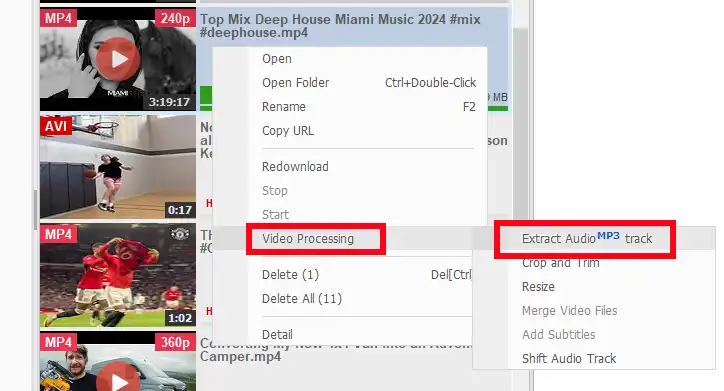
- 2. Select Context menu.
- 3. Select Video Processing \ Exaract Video MP3 track.
- 4. Start extracting audio from video file.
Learn More
- How VCapDL Works
- VCapDL's Features
- Video Downloader
- HLS (M3U8) Downloader
- HPEG-DASH (MPD) Downloader
- Video to MP3 Converter
- Streaming Video Downloaders Explained